Showing posts with label computers. Show all posts

Sunday, October 05, 2014

Toshiba external hard drive

I have a Toshiba 2TB 3.0 external hard drive. It "crashed" on me. I quote crashed because it technically still worked as far as power and connecting but it wouldn't show/work correctly in My Computer. I also couldn't do anything with it under Computer Management—>Disk Management. The cursor would just turn into the spinning vortex of annoyance.

I didn't think the hard drive was bad because many times in the past I've taken the drives out of their housing and they end up working just fine for at least another 6mos to a year to still going. So, I tried the same thing with this one.

The funny thing about it, which is my reason for the post, is that the Toshiba case contained a Seagate Barracuda hard drive.

Now I don't know if Seagate and Toshiba are owned by the same entity like WD and HGST. If they are, then the post is all for not. Otherwise, we'll go back to it being funny.

By the way, the hard drive works just fine as an internal. Initially, it didn't want to work but after formatting it seems to be functional for the time being. Luckily, it's used for a back up of a back up so not too worried about it failing...if it does. I'm just trying to get more life out of it if I can.

Sunday, June 08, 2014

Test post from iPad (06/08/14)

I'm trying to find out ways to blog from my new iPad with various apps versus using the Google app or via the web interface. I've tried doing it thru Chrome and it doesn't allow me to upload a picture from my iPad photos.

Wednesday, April 02, 2014

Email deals from TigerDirect

I am on the email listserv for TigerDirect. The above image is from their latest email blast. I can't say that I've ever purchased anything from the TigerDirect sales email. I may have purchased something from TigerDirect.com in the past which is probably why I'm on the email list.

I don't understand why they would put an item in their sale email blast that is ALREADY sold out. What the hell is the point? Are they trying to show that they are that good at deals and the products sell out quickly? I just don't get it.

I'm not a marketing professional and I certainly wasn't a marketing major but I really don't think there is a need or a good reason to place an item in a sales email blast that is not available.

And just so you're sure, the email does not reflect real-time. So if the product sold out after the email was sent, it would not have reflected the sell out.

Anyway, just thought I'd say something about the stupidity!

Tuesday, February 04, 2014

LogMeIn is no longer free

I've enjoyed the freedom of using LogMeIn Free. I understand that as a business there is a need to make money. I get it.

But, I don't use LogMeIn anywhere enough to get charged for it. Any amount charged is too much for my use of it. I'm sure 90% of the LogMeIn Free users are in the same boat. $40 for a year is fairly generous if you use LogMeIn for something more than logging in to a remote computer that you need to email/upload/whatever a file or something to access/view at the current location you are at. Now, I've used the trial of LogMeIn Pro where you can drag and drop files from one computer to the other like it was one drive to another on the same computer. Make sense? Again, it's just not worth my money for how I use it.

There are many other ways to remotely log in to a computer...and they are free. I will look into these other ways.

I do thank LogMeIn for the free use I did get out of their software. I don't fault them for their business necessities. It's probably a pretty good call to charge for their software. They weren't making money on LogMeIn Free so even if those "Free" users no longer use LogMeIn, the company is not losing any more money. It seems to be a good business decision for the business but not for the "free" customer.

So, I guess my point is I've read a lot of comments by bitter people about LogMeIn charging for what so many have been getting for free. Not me. The services I've used (Free and Pro—albeit limited) were good and I had no real complaints. I haven't used other similar software except the built-in Windows Remote Desktop but the LogMeIn service was very useful to me when I needed it and how I used it. Is there something better? I don't know but I wouldn't complain about being charged if I extensively and constantly needed/used the LogMeIn service to its fullest potential.

Tuesday, December 17, 2013

New Dell XPS 15 Touch Screen Laptop

The new Dell XPS 15 Touch Screen Laptop might be my next laptop. The touch screen part doesn't affect me in any way as I'm not accustomed to the touch interface via tablet or smartphone. I just need a light, powerful, portable laptop with resolution higher than 1366 x 768. I prefer at least x1024 because I don't like huge icons or text. I make due with it on my ASUS G50VT-X5 because it's a work horse desktop replacement—rated one of the best at it's time of inception about five years ago.

This is a little pricey...like a Mac Book Pro or Air but I'm a long-time Windows user and I don't feel like learning a new operating system or keyboard shortcuts.

We'll have to ponder this decision a little longer...

Wednesday, June 06, 2012

Stop the insanity!

Please! Please! For the love of God, stop creating laptops/notebooks with number pads!


If someone really, really needs to have a keypad, they can buy a USB/Bluetooth accessory. This is a the ASUS G75VW-TS71 currently being advertised at CircuitCity.com (link while it lasts).

Look at the beautiful real estate on the keyboard of this computer. The important keys (all of them but the number pad) could be centered as well as the touch pad to the screen versus askew to the left. I mean how many desktop users do you know that like to have their movable keyboards to slightly to the left or right of their monitors? Very, very few and that's because it's their choice. This notebook keyboard layout is not by the user's choice. Also, if the keyboard was centered, the space on each side could be used for decent quality and sized speakers. Or maybe some biometric fingerprint reader. Or something other than a stupid number pad.

Oh well, if more consumers would complain, maybe they'd change their form factor. Maybe I'm the only one.


RE: Which laptop/notebook/ultrabook to buy?

Since nobody chimed in on my previous post, I waited and pondered a little longer.

I finally came across an informative article that said something like "should I wait to buy a laptop?" I read it and I decided that I should wait.

If the article is correct, the screen resolution hang up that I have will be solved. The article said that the "next generation" screens (bigger than 1366 x 768) and processors (Ivy Bridge) will be coming in the months to follow. It will probably be the best "deals" around August which is what...the "back-to-school" sales. "What about if I'm not going back to school, can I still get the deals?" That was sarcasm.

However, my waiting is not just because of this article. I asked myself the motherly/wifey question we all have heard at least once in our life, "DO YOU REALLY NEED [insert product here]?" My answer is undeniably "No" but do we really need anything!?

My current beast of a laptop, ASUS G50VT-X5, is still working. It's in pretty good shape and I currently am having no issues with it. <<knocks on wood>> Well, other than the secondary hard drive I have installed occasionally makes a noise like it needs oil but that's an additional part not an original to the machine and is easily replaced when needed. It's heavier than I'd like at this time but only because I have been carrying it around a lot. I bring it back and forth to work because I am in an office where I remotely log into my office computer from my laptop. I do this because there is no telling when my boss will decide that I need to return to my cubicle versus an actual office even though he's said he doesn't plan on me having to do so. I don't trust him/them because they always say one thing and do another...like parents! LOL!

Anyway, while typing this between working and not working over the past day, an article at Gizmodo was posted simply stating,
If you're thinking about buying a laptop any time soon, don't. Just don't do it.
So, I think I'm definitely going to wait. Partly because of the specs of machines that are about to come to market but also because I have a few other things that I'd like to do/buy with my money at this time. Especially, since I said that my current computers/laptops are working just fine.

∞
That's all I got to say about that!
 

Thursday, May 17, 2012

Which laptop/notebook/ultrabook to buy?

I'm in the market for a new laptop. Not for school since I just graduated but I got all this graduation money to blow. I figured I'd replace my 3+ year old ASUS. The ASUS is still working and I'll use it until it dies but it's a big bitch to lug around. I got it as a desktop replacement and that's exactly what it did. I just am done lugging it every where especially if I just want to jog on down to the local Internet cafe. It's not conducive to jogging or even walking for that matter.

So, I've narrowed it down (sort of) to a few models...in no particular order:
  • Alienware M14x—approx. $1,800-$2,000 after my customizations
  • Dell XPS 13—approx. $1,400 after my customizations
  • Dell XPS 14z—approx. $1,200 after my customizations
  • Dell XPS 15z—approx. $1,400 after my customizations
  • Samsung 9 series ultrabook—$1,400 is the starting price without any added upgrades
I like the XPS series. The XPS 13 doesn't have a disk drive which isn't important. I already have an external CD/DVD burner from when I purchased my netbook. I like the form factor. It's very portable and sleek looking. The biggest detractor: 1366 x 768 resolution. I hate this resolution on my ASUS as well as my netbook. It requires too much up/down and side-to-side scrolling when surfing the web or working in just about any type of Office file. Now it's way worse in a smaller screen like my netbook than in my ASUS 15" notebook but it's not a resolution I'm a fan of. The Alienware has a 1600x900 resolution and the XPS 15z has the option to upgrade from 1366x768 to the 1600x900 resolution. I thought I read somewhere that the 14z has this same option but I can't seem to find it so I might have just run the two different reviews/tech specs together while researching the 14z and 15z.

The XPS 13 and 14z are more in the size range that I'm looking for and I think the M14x is too—I'm not sure as I haven't seen and touched the M14x physically like I have the XPS notebooks. My only visual size comparison for the M14x is my M11x which I gave to my wife. I liked it a lot and it was a very nice size but the issue with the 11" screen and resolution was bothersome more often than not as well as the all-level-keys keyboard. If the wife didn't need a better machine from her netbook, I would probably still have the M11x and be very happy with it. The sleep and wake-from-sleep time was phenomenal on this "older" ultrabook-type gaming system.

The XPS 15z with the 1600x900 resolution is a plus for me but the size is a tad bigger than I really want it to be. It's not as big as my ASUS notebook because it doesn't have the ridiculous and mostly useless added number pad on the right-hand side of the keyboard. I don't type enough on the number pad to justify it being on my machine and even if I did use the number pad often, I'd purchase a USB one because the layout on my ASUS is not exactly the same as a full-size keyboard. The 15z feels more like a 15" Mac Book Pro(?). It's looks like a good machine and fairly lightweight but I'm not sure it's as portable as I'd like.

The Samsung 9 Series 13" ultrabook was a very pretty machine. I have a Samsung Netbook and have not had ANY issues with it that I didn't create myself. The netbook was the portability I wanted with more power than the "normal" netbook. I was $100 more than other netbooks with basically the same specs but it was rated better and it turned out to be just great for me...for a while. I ended up needing more speed with opening programs like a browser or any Word/Excel/Access files. The scrolling left/right/up/down in the browser window was tedious. It did it's job for what I needed it for at the time but I've increased my needs so it will no longer cut it for me. It is a Netflix playing machine which is hooked up to a projector and that's all it is used for now...it's does this quite well with only the occasional hiccup. I would be willing to take the chance on the Samsung 9 but not for a $400 difference. I went to Best Buy the other day to fondle the XPS 13, XPS 14z, and Series 9 machines and the Samsung started at $1,399 whereas the other two were $999. The specs were pretty identical give or take a few minor tweaks.

I tried to customize all the machines as close as possible to get the best comparison with power and cost. Looks is a bit secondary for me although these machines all look pretty good on the outside and under the cover. However, the XPS 13 would have to be the most eye-catching from the outside cover to the inside under the lid. The Samsung has a not-so-shiny finish on the outside and a less glossy screen which could be good in bright lights to combat glare and reflections. The Alienware look needs an update but it's flashy lights and all still make it look cool. The glossy screen helps add to the "shine" but it's very pricey for me since I don't really do gaming on my PC much anymore. Besides, I have a desktop for that. I want to use my new notebook more for Photoshop, Pinnacle Studio, Internet, Email, and the like. It's nice to have the power to play games but is it worth the additional $500 or more? Maybe. It was with the M11x but I got that for a very, very good deal. There isn't a very, very good deal right now for the M14x.

So, that's my dilemma. Thanks for listening.

Friday, April 27, 2012

Targus Sport II Laptop Backpack from Walmart revisited

A few days over one year ago I posted about my backpack dilemma and how I finally purchased and switched to a new one. Here's the original post. After one year of use, this is the state of the Targus Sport II Laptop Backpack.


This bag obviously has not held up as well as my Jansport that is over 20 years old! This is just from normal wear and tear. Nothing extreme. Just packing it in the morning, walking to work, taking out my laptop if I brought it, leaving it on the floor while I work, putting the laptop back in it if I brought it, walking back home, and then putting it on my dining chair until the next day unless I get my laptop out and use it for the evening. Now occasionally it may be considered slightly overstuffed but it didn't seem to harm my Jansport. That's the difference between canvas and vinyl/synthetic fabrics people! Again, this was only like $12 and for that it lasted a year. I guess that's a good investment. But now I have to look for another bag even though I'm graduating I still like to carry random shit in my bag...you could call it my murse. I'm thinking I'm going to invest in another Jansport under $100 but hopefully at least half that or more!


Monday, May 23, 2011

Targus Sport II Laptop Backpack from Walmart

Targus Sport II Laptop Backpack. I picked this up at Walmart.com a few weeks or so ago. It was another one of those deals from Slickdeals.net. This one was, in my opinion, too good to pass up for a test drive. It was $10 plus s/h ($.97) & tax which totaled out to $11.75 for me. I figured $12 was a much better investment than the regular price of $70+.

First, the shipping on this was fast! I selected the standard shipping which said something like 5-7 days. I could have saved on the shipping and did site-to-store but the estimated availability at the store was like two days after the anticipated standard shipping. Now, it could have gotten to the store in a matter of days but I wasn't in a hurry and I really didn't feel like driving to my local Walmart just to pick up this item. I'm lazy. I know it. I ordered two PS3 games a few months or so ago that I almost didn't get to pickup in time before they "returned" them because I was too lazy to make a special trip. Anyway, I ordered this on a Thursday afternoon around 2-3pm. It was dropped on my door step sometime between 11-1pm on the following Saturday. That's pretty damn good for $.97 standard shipping that says 5-7 days but did it in barely two days. I was shocked by the shipping time as well as the fact that this time Walmart did not ship my item in a "box of obviousness"...you know, those boxes that let anyone that happened upon my doorstep know exactly what it was. Anyway, kudos to Walmart on price, shipping and boxing.

After I took the box inside the house, I put it in a closet and forgot/ignored it for a few days. I needed a new backpack, a bigger backpack, than the one I had. That's why I purchased this one. I just started thinking about changing all the stuff from one bag to the other and it made me sad...sort of. I've had this other backpack (Jansport, I think) for a very long time and my wife had it before me. This bag is like 20 years old! I'm not saying that I have this huge emotional attachment to it (just a little one) but I think it was more of the fact that I'm used to the backpack I have. It's convenient. I know how it feels when I wear it. It's quirks like lose thread, frayed fabric, and zippers that aren't strong enough to stay closed that I am used to dealing with. These are also the reason why I looked forward to a new backpack.

So, a few more days (about a week total) after I received the Targus backpack, I made the official transition. I still have the Jansport because it's still fully functional for something but I knew the move had to be done.

Saturday, May 07, 2011

Offline NT Password & Registry Editor

My youngest kid changed the password to the only login for their computer and forgot it. It's a Sony Vaio notebook with Windows 7. Funny thing is, my kid saved the password so it wouldn't be forgotten...in a Word document on the computer. The good intentions were there, just not the good smarts.

Luckily, I was able to Google "how to recover Windows 7 password" and a lot of different information was found. I tried a couple of different steps and software but then I found Offline NT Password & Registry Editor. If you Google it, you'll find it just like I did. You'll find a link to download the software. You'll find the instructions on how to burn it to a CD. You'll find out how to use it. I'm not here to explain what is already explained.

What I will tell you is two things:
  1. The software did not change the password for me like it said it would.
  2. The software did clear the password like it said it would.
Since the password was cleared, I was able to log in to the computer and reset the password on the user account. All is well now.

So, if you forgot your Windows 7 password, you need to get Offline NT Password & Registry Editor. It says it works for XP and Vista but I have not used it for those operating systems. It did work on Windows 7.

Thursday, January 06, 2011

Tachyon XC HD and/or GoPro Hero HD

I guess there is some CES show going on because I'm seeing a lot of random posts on Gizmodo, BoingBoing and other "geeky" websites/blogs about upcoming products and such. It's getting kind of annoying.

However, I did see one article that is of interest, mainly because I just have been looking at this product along with another for comparison. I probably really don't need either product but I can't help but want it and see what I will do with it.

So the article title is GoPro Sports Camera goes 3-D.

I've been looking at the GoPro Hero HD (now at Best Buy for $299.99) and the Tachyon XC (now with HD for $179.99).

Again, I don't know how much I'd actually use this for action sports or whatever but I think I could find something to do with either of them...maybe both...especially if I purchase one (which I did) or both.

Yep, I took the plunge for the cheaper one (Tachyon at $179) yesterday to see what I can do with this little guy. I figured the cheaper one was a better investment for me in case I decide to eBay it or something after I find that I don't REALLY need it.

I've look at many videos from both cameras and they are both pretty cool on YouTube or wherever. It's tough to decide. I mean I like the extra effort put into make the Tachyon's housing waterproof instead of the GoPro's separate housing. The quality and options in mounts are pretty equal for both. After looking at the two again today, I have noticed a main difference in video recording. The Tachyon is 720p at 30fps while the GoPro is 1080p/960p/720p at 30 or 60fps. That's a big difference in my opinion but I'm no videophile so I don't know what actual difference in video quality it is for 30fps versus 60fps or 720p versus 1080/960p. I'm sure both are pretty good but in my uneducated opinion, the 1080p @ 60fps would have to be better than 720p @ 30fps. I would assume this is the reason for the slightly over $100 difference in price. Again, I'm not a video expert but this is obviously not apples to apples comparison but apples to apples+oranges+grapefruits.

I'm excited to get the Tachyon and see what it does for me. If I like it, I might actually jump in for a GoPro for the extra HD resolutions. Again, I'd have to research more and see a product on MY computer versus on web.

Once, I get the Tachyon XC HD and get to tinker and play around with it I'll try to remember to do a follow-up post to give my personal review to add to the many already out there. Maybe this will be the one product that I type about getting, got and used but never returned to post my opinion.

I wouldn't hold your breath.

Monday, January 03, 2011

Dammit! My ASUS G50VT-X5 crashed!

Sunday night I woke about 2 a.m. to a clicking noise. It was consistent and constant.

I walked toward the restroom in our bedroom which requires me to pass by my desk with my notebook. This is where the clicking was coming from...the ASUS notebook. Someone reviewed/photographed it here.

Dammit again!

I purchased this machine from Best Buy roughly a year ago and I was smart enough to get a service agreement on it. I'm not sure if they will replace the hard drive, probably not...more than likely not.

I've spent the past couple of hours trying to restore it to a Hitachi 500 GB notebook drive. It's taking a long time. I've reinstalled it the software twice and have yet to get to a final boot screen or a login screen.

I'm getting frustrated. Pissed off.

That's why I think it might be a Best Buy Geek Squad thing. If it's not taking to the drive as simply as running the install disk, there's got to be something more wrong, right?

Anyway, I've been waiting about 20 minutes now and I am still seeing the green vertical lines scrolling across the bar in the boot up sequence, thinga-majob.

I'm going to throw it...okay, not really but I feel like it.

∞
That's all I got to say about that!
 

Saturday, January 01, 2011

Is online shopping risky?

This is a little late but better late than never...sometimes...right? Anyway...

This holiday season and the previous few I have turned to online shopping for a lot of my gifts for the family and a few of the friends. It's convenient, time-saving and I get to avoid all the asshole drivers and dickhead holiday shoppers. How's that for Christmas spirit?

Anyway, I ordered my Alienware m11x from Dell.com and this is the box that they shipped it in. No outside box. No identity-covering brown paper. Nothing. It's not extremely obviously identifiable as a laptop but still.


I bought a very discounted HP all-in-one printer for the wife from Walmart.com. I figured that $20 was a decent investment for an all-in-one. It was shipped in the box in the following picture. It's obvious. It's extremely easily identifiable. It delivered exactly as shown.


I ordered two Sony Vaios for my children from Buy.com. It sounds extravagant but they are teens and they will need to stop using my computers for their school work. Also, I got regularly-priced Vaios at $799 for $599. I could not pass up the deal and it worked out that they both wanted (and needed) their own PCs. The Vaios were shipped in their respective laptop boxes and then they were both packed inside this plain, brown cardboard box. Hiding what they were AND adding extra protection.


In my non-strategic analysis, Buy.com has the most favorable packing and shipping of their products customers have purchased online. The box was indistinguishable as to what it contained and it was shipped UPS. I doubt that the shipping provider has much to do with the way the product was initially packaged but maybe it does. Maybe UPS requires the extra layer of boxing for their protection as well as the end customer. Again, I don't know.

What I do know is that the products from Dell and Walmart were both shipped via FedEx.

FedEx made not extra effort to hide my packages but instead left them in plain view on my porch in front of my door. UPS dropped my box off but made a point to put it as out of view as possible from easy viewing from the street while at the same time I was able to know something was delivered (of course, the box was much bigger and it would ben damn difficult to miss for anyone walking to my porch. It probably also helps that UPS delivers regularly in my area and specifically on my street to multiple residences. It probably is also helpful that because UPS is a regular on the street that they tend to delivery later in the day usually after 5 p.m. because there are more businesses nearby that they have to hit before the 9-5 workday ends. FedEx dropped off the two packages at different times of the day. Maybe they just don't visit the area as much and don't have the need to deliver businesses first and then residences. Again, I'm just making assumptions here.

Overall, this won't affect my future online purchases but it does make one wonder if it would make a difference to ask an online store to make sure the product is delivered in a discreet, non-descript box. It may be asking too much but at the same time when FedEx and even UPS drops off a box on the porch and the delivery status changes to "DELIVERED," how is a problem of "a missing package" dealt with if it was stolen from a porch?

So, there are my random thoughts for online shopping. I think it's great and convenient. I don't just shop online to avoid the assholes. If I can get a better deal by braving the ignorant drivers and shoppers, then I will drive to the store to get the product. But I just usually happen to get a damn good deal online. Oh yeah, site-to-store is a good bargain too if you have the time for the "delivery" because sometimes the site-to-store delivery is like 3-5 days or more whereas having it shipped to the house takes 1-3 days or more and sometimes free shipping is offered.

Wednesday, December 15, 2010

Alienware M11x -- What I've learned so far

So far the Alienware M11x has been pretty easy to set up and play with. I've installed just about all the programs I need and/or want without a hitch. The M11x doesn't come with a CD/DVD drive but luckily I already had an ISO of Office 2007. I don't have a copy of Office 2010 yet and I don't think I'll get one anytime soon so 2007 will have to do for now.

I'm temporarily using the McAfee suite that came with it but I will not be renewing or extending the license. There's no way I'm paying for virus protection when I have a few options for free such as AVG Free or MS Forefront. I will install one of these soon but I just didn't want to take the time right now to uninstall McAfee and install the others because I wanted to get tinkering with this machine.

A few things that I've noticed so far is:
  • The keyboard is a little bigger than my Samsung N110. The layout is somewhat better too because the arrows keys do not include other functions like my N110. That's a benefit for me as I like to use the arrow keys as well as the functions that are typically doubled upon them in smaller keyboards.
  • The screen is bigger and better. It still doesn't have the resolution I like or even near it but what can you do on a laptop. My big ASUS doesn't have the resolution. They are seemingly all 1366 by 768 pixels or somewhere in that vicinity. That goes with the quality of the graphics card and I can deal with it. I'm just used to being able to see more on my desktop monitor(s).
  • The touch pad is a little too far to the left of the keyboard. I have noticed that my left thumb tends to graze the left side of the touch pad just enough to make the mouse move or jump around when I don't want it to. I'm sure I can "fix" this by using a USB mouse and turning off the touch pad.
  • The temperature seems to get a little hot on the bottom of the machine. I'm not playing any games or setting it on my lap. It is just sitting on my desk which is solid, flat wood. It's not overbearing hot. It's just hotter than I'd expect from sitting on a flat, wood surface. I'm sure there is some setting I could mess with but remember, I've just taking it out, set it up and loaded some necessary software on it. I haven't delved into the intricacies of the M11x...yet.
  • The back-lighting is pretty cool. The wife even commented on it (along with the entire machine she thinks it's "really neat."). Again, I haven't changed the colors or anything yet so it is just the blue setting. Back-lighted keyboard is definitely a plus in the cool cosmetic factor.
  • Sound has been decent so far. Again, not a huge test run yet but I did watch a YouTube clip and the sound seemed good. YouTube isn't that great for testing because the clips' audio is sometimes too high or too low so it wouldn't be a good test if this was the case. I'll run some of my MP3s on it and see how it goes since I know they are all pretty much at the same decibel level.
  • The facial recognition hasn't worked yet. It initially captured my mug during initial set up but I don't think it got a good capture of it. Every time it tries to verify my mug at this time it fails. Sometimes it has been the very poor lighting in my office/bedroom but I did try it once in what I thought was brighter lighting. I'll re-initialize and see how it goes after but in theory it seems/looks like a cool toy/feature.
I guess that's about it for now. It's a pretty cool little machine so far and I can't wait to tinker with it some more on a higher level like CD/DVD ripping and some photo imaging/manipulating.

I'm still trying to make sure I have all my add-ons for Firefox and Chrome to match all my other machines so one of these days I'll be able to just waste time on it. Until then...

Tuesday, December 14, 2010

Alienware M11x -- just a quick unboxing

I got my Christmas present (one of them anyway) from my wife and kids yesterday. I ordered it. It was a good-priced deal. Dell had a deal on an Alienware M11x. It's not the newest version with the i5 or i7 processor because I didn't want to spend that kind of money on a new laptop since I already have a "power" laptop in my ASUS that I wrote about some time ago, circa 2009. I still have that big beauty but that's slightly the problem: it's BIG! It's what I wanted, a desktop replacement, but sometimes it's not that convenient for everyday travel between home, work and school. I also purchased a netbook the same time as my ASUS. It was a Samsung N110. I still have it too.

The issue comes with the in-between of those two machines. The ASUS is big but great on speed and funtionality. The Samsung is small and has fairly decent functionality but it lacks speed and keyboard-sized comfort.

Enter Alienware M11x. I've seen this in the news since it's come out. It was way too expensive at its introduction for poor little me. I got an email a week or so ago about it being on sale. I'm sure because the i3/i5 versions had been introduced and those are way too expensive for poor little me. They have greater speed and functionality but they just aren't what I am looking for right now.

Anyway, the Alienware was $799 on Dell's website (same as at Best Buy). The price with coupon codes thru Gizmodo and LogicBuy knocked it downto $549. I first ask, "How can you not think of and end up buying this at a $250 discount?" So, I jumped in, slightly hesitantly. Not because I was unsure of the deal...I figured I could eBay it if I had to. I was hesitant because asking the wife to get another computer would be a tough sell especially since I just bought our two kids Sony laptops (another VERY good deal on those sleek powerhouses!).

So, to make a longer story short. I got the Alienware M11x in the "mail" yesterday. That's about an 11-day turnaround from date of order to being left on my door step. And that's what FedEx actually did. They left it on my door step. WTF? I can't believe they didn't have to have it signed for or at least shipped it in a "disguised" box. It wasn't obviously marked as Alienware but it wasn't hard to discern that it was a laptop. Besides, neighborhood thieves don't look to see what the box contains...they take the box and look at the contents later hoping they did well.

Just a quick list of the specs:
  • Cosmic Black
  • Overclockable Intel Core2 Duo SU7300 1.3GHz (3MB Cache, 800MHz FSB)
  • 4GB Dual Channel DDR3 at 1066MHz (upgraded from standard 2GB)
  • 11.6-inch WideHD 1366x768 (720p) WLED
  • 1GB NVIDIA GeForce GT 335M
  • 250GB SATAII 7,200RPM

Also, following are a few of the simple unboxing pictures. Hopefully, I'll follow up with a sort of review of the Alienware M11x once I have the time and experience with it to properly share. Don't hold your breath because I haven't "reviewed" many products that I have talked about getting in the past. Maybe I'll remedy that by using the M11x.


Wednesday, October 13, 2010

Pogoplug Multimedia Sharing Device - Gray

Last week Tuesday, I saw a good deal on a Pogoplug at Buy.com or Pogoplug.com.

I've seen these before when they originally came out. Read the review at CNET and decided, "Eh." The deal at Buy.com was a little to good, for me, to pass. The price for the Pogoplug was $49.99 plus tax but free shipping. When the original price was like $129 and now at least $99 or above, I thought it would be good time to test this little product out on my home network.

I have a couple of SimplePro 500GB USB external hard drives, a couple of Western Digital 120GB portable USB drives and a few notebook hard drives I have pulled from old laptops and put in portable cases. I've dwindled down my computer count from 5-7 desktops to 2: 1 is about a year old with 1TB main drive and an added Hitachi 640GB; the older machine has 4 hard drives that range from 120GB to 200GB and is mainly used as a network backup where I backup all my files to from various notebook/netbook machines in the house.

I have a Belkin 8-port USB hub but sometimes it would intermittently "disappear" when connected to my "backup" machine running WinXP. It's frustrating to set up back up software to run daily/bi-daily and not have the drives available for some freaking reason. The Belkin hub has currently been just a charging station for my various USB-chargeable devices.

Also, the backup machine randomly shuts down which makes me lose those four backup drives. I think it's an overheating issue but I solved that part by using a floor fan to blow constantly into the case. It works but now occasionally the computer will lose video feed. I'm not sure if it's the video card because the machine will turn on although I can't audibly hear the POST. Basically, it powers on and that's it; no video image, no hard drive action. Sometimes I can let it sit, jingle a few things here and there, when it will suddenly work properly...until the next time.

So, longer story shorter, I could use some sort of networked, Internet-accessed, "clouded" access to my files. This may not be the solution but it's a good place to start at a decent price.


Friday, April 23, 2010

Notebooks with number keypad intergrated in the keyboard

I'm so tired of these notebooks with built-on/added-in/integrated number key pads. They are not functional enough.

I can touch-type ten-key. Which is basically the same thing as a number pad on a full-sized keyboard. These are not correctly laid out. So why put them on the notebook if you are going to keep them uniform? Duh!

I don't know the exact model of my "huge" notebook but it's an ASUS. I'm sure I posted about it before/when I got it but it had a built-in number pad. I didn't buy it for that fact but I thought it was an added bonus. I was half right.

I like using the number pad when I am typing a lot of numbers, especially when I'm entering things in Excel for home or even doing work (rarely) at home. On my full-size keyboard number pad, I know where every +, -, /, *, and . is because in my experience all the full-size keyboard number pads have been universally the same.

Not so with the notebook number pad. The period/decimal is in a different place for one. With my checking account register in an Excel file, this is a big disappointment because it really slows me down on multiple-keyed numerical entries from the number pad. It's become a inconvenient convenience.


Monday, July 14, 2008

Saturday, March 18, 2006

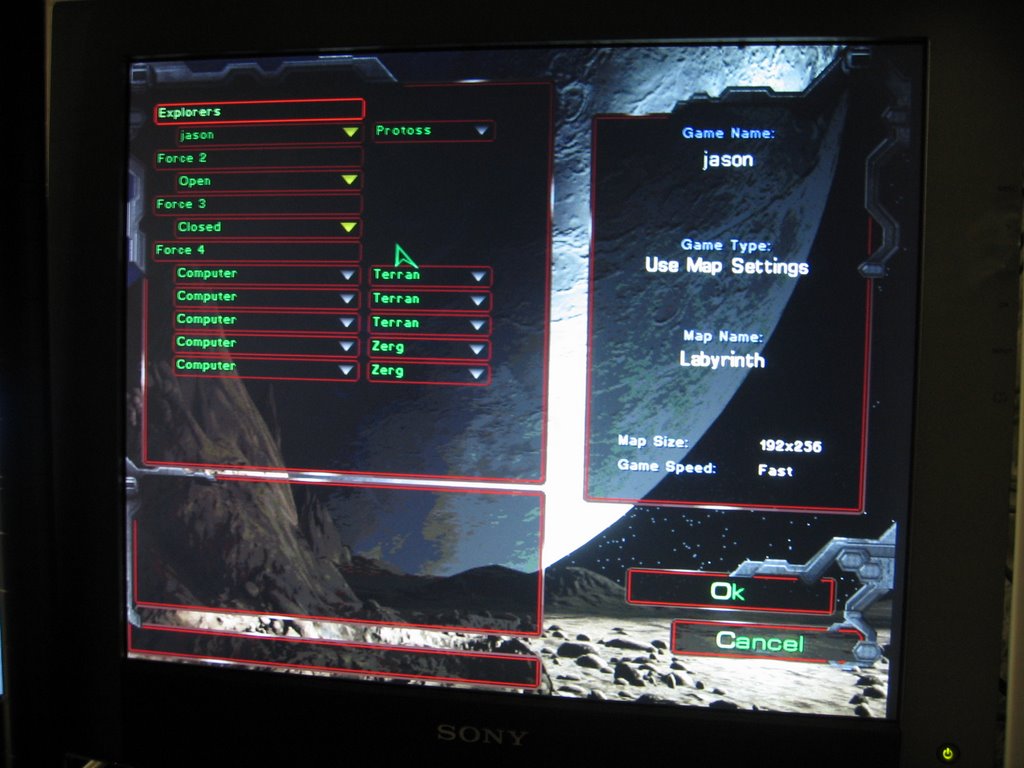
How do I pass the time while it rains -- Starcraft!

More passing the time by playing STARCRAFT...it's just pouring outside so there's not much else to do. I'm probably going to get fried by a lightning strike anyway while playing.